
Office Assistant Cover Letter Examples That Work in 2026
Office managers look for reliability, accuracy, and initiative. Your Office Assistant cover letter should demonstrate these qualities right away. Use these real-world samples to highlight measurable administrative impact.
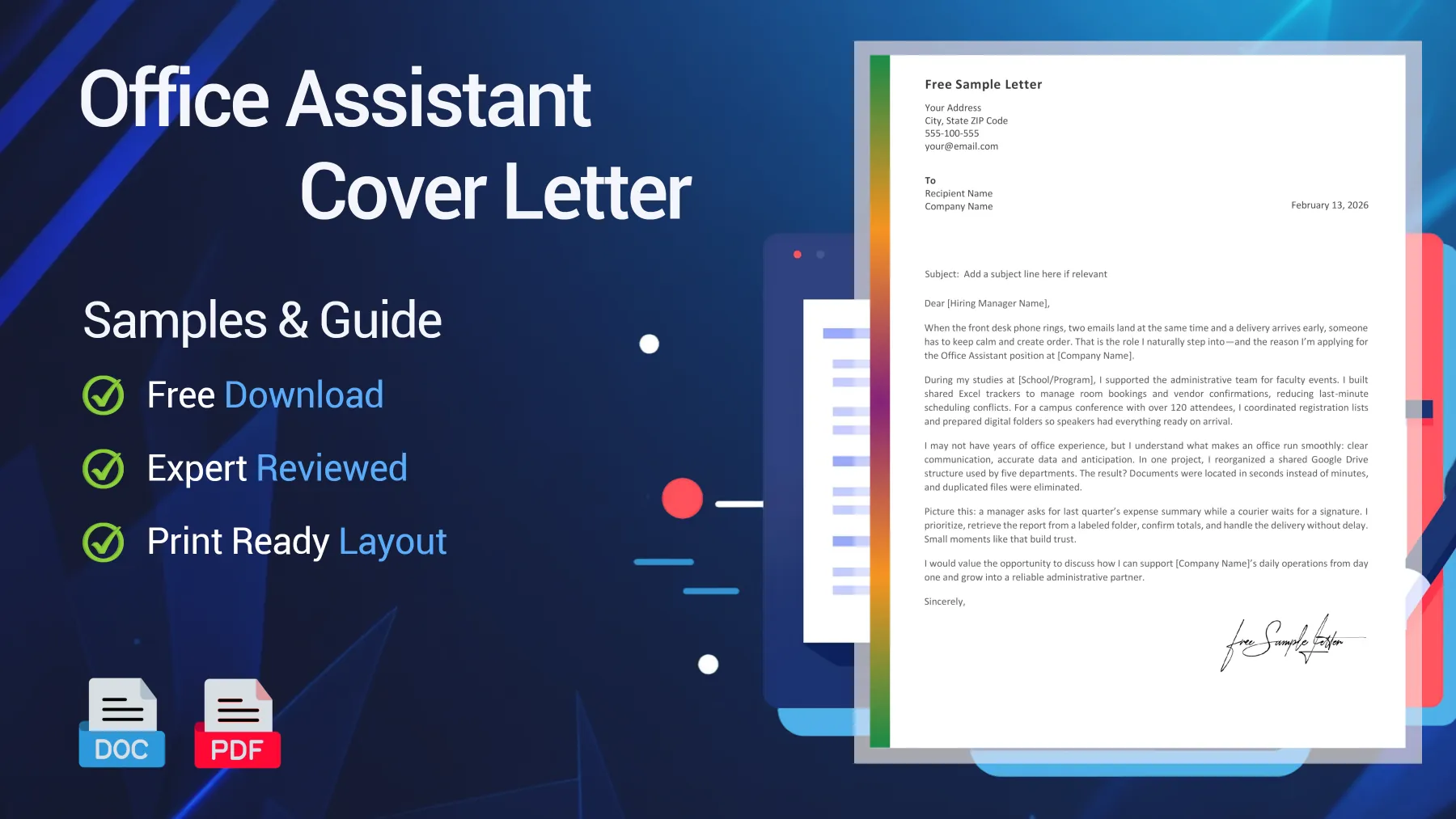
Free Office Assistant Cover Letter Samples
According to the U.S. Bureau of Labor Statistics, the occupation accounted for over 3.2 million secretarial and administrative assistant jobs in 2024, with strong demand in healthcare and professional services. This means competition is high, so your cover letter needs to demonstrate accuracy, multitasking, and technical proficiency—not just generic “office support.”
Entry-Level Office Assistant Cover Letter (No Direct Experience)
Designed for junior candidates or recent graduates, this Office Assistant application letter highlights organization, digital tools, and initiative to balance limited formal experience.
Dear [Hiring Manager Name],
When the front desk phone rings, two emails come in at once, and a delivery arrives ahead of schedule, I’m the person who keeps everything on track. That’s why I’m excited to apply for the Office Assistant position at [Company Name].
While studying at [School/Program], I assisted the administrative team during faculty events. I created shared Excel trackers for room bookings and vendor confirmations, which helped avoid last-minute scheduling issues. At a campus conference with over 120 attendees, I organized registration lists and set up digital folders so speakers could easily access everything they needed.
Although I’m early in my career, I understand what keeps an office running smoothly: clear communication, accurate data, and anticipating what’s needed next. For example, I reorganized a shared Google Drive for five departments, which made documents easy to find and eliminated duplicates.
When a manager requests last quarter’s expense summary while a courier waits for a signature, I quickly prioritize: I pull the report, confirm the totals, and handle the delivery without delay. Moments like these build trust and keep the office moving forward.
I’d welcome the chance to discuss how I can support [Company Name]’s daily operations and become a reliable part of your team.
Sincerely,
[Your Name]

Reviewed by Nina P., Senior Editor
I like the clarity. Every paragraph proves a skill instead of repeating vague claims.
Experienced Office Assistant Cover Letter
Created for experienced administrative professionals, this Office Assistant cover letter emphasizes results, process optimization, and reliability under pressure.
Dear [Hiring Manager Name],
An efficient office doesn’t happen by accident. It takes solid systems, consistent follow-up, and close attention to detail. That’s what I’ve delivered for eight years as an Office Assistant in busy corporate environments.
At [Previous Company], I managed calendars for three senior managers, coordinated travel, and processed more than 150 expense reports each month. After I standardized our expense tracking spreadsheet, reimbursement delays dropped by 30%, and accounting discrepancies decreased.
I can help [Company Name] right away by streamlining administrative workflows. In my current role, I reorganized digital archives holding over 10,000 files, introducing consistent naming conventions and permission rules that cut document retrieval time in half.
Beyond daily tasks, I keep communication moving. I draft internal memos, prepare board meeting packets, and track deadlines across departments. When priorities stack up, I focus on what matters most for the business and keep everyone informed to prevent bottlenecks.
I’d welcome the opportunity to discuss how I can strengthen your operations and support your leadership team with reliable, organized administration.
Best regards,
[Your Name]
Reviewed by Nina P., Senior Editor
I see someone who understands that admin work supports leadership, not just tasks.
Career Change Office Assistant Cover Letter (Transferable Skills)
Ideal for professionals changing careers, this Office Assistant cover letter highlights transferable skills, organization, and communication strengths.
Dear [Hiring Manager Name],
Clear processes and steady follow-up have always been central to my work. After five years in [Previous Industry], I am transitioning to an Office Assistant role at [Company Name], bringing structured workflow habits and client coordination experience from my previous field.
As [Previous Position], I managed appointment scheduling, kept digital records organized, and responded to client inquiries. I used CRM software and Excel daily to track interactions and ensure every request was handled promptly.
I always double-check entries before submission and apply consistent naming conventions to every document I handle. This approach reduced record errors for my previous team and made internal communication easier.
Though this is a career shift, the essentials remain the same: organization, responsiveness, and discretion. I’ve consistently supported managers, prepared reports, and kept records accurate, even when my job title was different.
I’d welcome the opportunity to discuss how my organized approach can support your office operations and contribute to your team.
Sincerely,
[Your Name]
Reviewed by Nina P., Senior Editor
The career shift feels coherent. The skills clearly transfer to office administration.
Office Assistant Cover Letter Template Preview Before Download
Preview the Office Assistant cover letter template before downloading. Access an editable Word (.docx) version and a ready-to-print PDF.
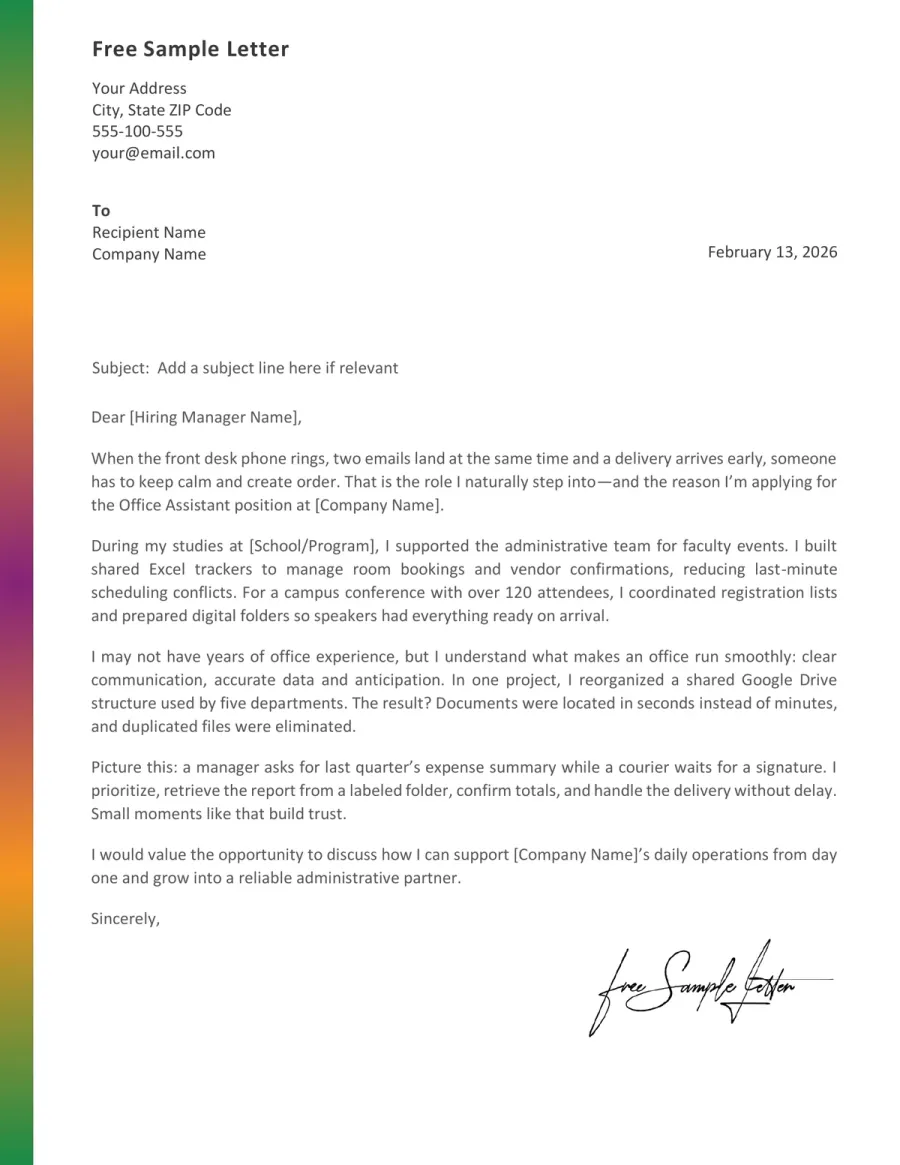
Turn the Template Into Your Own Application Letter
Copy-paste is the fastest way to sound generic. A strong Office Assistant cover letter keeps the structure but replaces examples with your tools, real tasks, and evidence, so it reflects your actual day-to-day work.
➡️ If you’re unsure about structure, see How to Write a Cover Letter for step-by-step help.
Target the office reality
Read the job posting like a checklist: who you support, what volume you handle, and which tools appear more than once. Reflect that reality in your opening paragraph.
See an example
“Supporting a 6-person team, I keep calendars, invoices, and front-desk priorities moving without dropped details.”
Pick two proof moments
Don’t list duties. Instead, choose two situations where you solved an administrative problem: prevented errors, saved time, improved coordination, or reduced follow-ups. Include a number if possible.
See an example
“I standardized our expense log and cut reimbursement delays by 30%, while reducing mismatches with accounting.”
Name your tools like a pro
Office Assistant hiring is tool-driven. Mention the exact systems you’ve used (Excel, Outlook, Google Workspace, SharePoint, CRMs) and what you accomplished with each.
See an example
“I use Excel to reconcile line items, Outlook rules to triage inboxes, and SharePoint folders to keep version control clean.”
Match tone to the workplace
A startup may want fast, direct writing. A clinic may prefer calm and precise communication. Keep it human, but match your tone to the environment you’ll support.
See an example
“I keep communication short and actionable: what’s done, what’s blocked, and what you need from me today.”
Close with a practical next step
Avoid generic closings. Offer a next step that fits administrative work: discuss your workflow, tools, and how you handle competing priorities in a typical day.
See an example
“I’d be glad to walk you through how I prioritize requests, manage shared calendars, and keep documentation audit-ready.”
ATS + Human Eye Check: Office Assistant Tag Cloud
- Calendar triage
- Excel
- Front desk coverage
- Fast switching between priorities
- Outlook rules
- Document version control
- Filing system cleanup
- Invoices & purchase orders
- Google Workspace
- SharePoint folders
- Meeting minutes
- Vendor follow-ups
- CRM updates
- Confidential records
- Clean handoffs to managers
- Travel booking basics
- Reception phone etiquette
Do & Don’t: Office Assistant Cover Letter Red Flags vs Trust Signals
Office Assistant hiring is about managing risk. Managers don’t just want a “helpful” person—they want someone who pays attention to detail, avoids rework, and can handle pressure independently.
Red Flags That Make You Look Risky
Red Flags- Use vague claims instead of describing how you manage calendars, files, and competing requests
- Overpromise (“I can do everything”) without naming tools, volume, or a clear workflow
- Ignore accuracy signals: no mention of double-checking, naming conventions, or confidentiality
- Sound passive about priorities (“I help when needed”) rather than showing triage and follow-up habits
- Copy generic templates that don’t match the office environment (clinic vs corporate vs school)
Trust Signals That Make You Look Reliable
Trust Signals- Show a simple method for handling competing tasks (triage, confirm priorities, update stakeholders)
- Mention the exact tools you use and what you produce with them (tracker, archive, agenda, report)
- Include one concrete win: fewer errors, faster retrieval, smoother reimbursements, cleaner records
- Demonstrate confidentiality and professionalism with specific examples (secure folders, limited access)
- Close with a next step that fits the role: a workflow walkthrough, tools discussion, or priority scenario
FAQ - Office Assistant Cover Letter
How do I prove I can handle competing priorities without sounding generic? Toggle answer
Use one short “office moment”: phone rings, delivery arrives, manager pings you. Say what you do first, how you confirm priorities, and how you close the loop. That’s more convincing than “I multitask.”
Which tools should I name for an Office Assistant role? Toggle answer
Mention tools only if you connect them to a deliverable: “Excel tracker for invoices,” “Outlook rules for inbox triage,” “SharePoint folders for version control,” “Google Workspace for shared calendars.” Tools plus outcome are more persuasive than a software list.
I’m changing careers - what’s the cleanest way to explain it? Toggle answer
One sentence on the “why,” two sentences on the “proof.” Keep it forward-looking: what you’ll contribute in this office. Don’t apologize. Show transferable administrative actions (scheduling, records management, customer communication, follow-ups).
How do I show confidentiality without sounding weird or oversharing? Toggle answer
Reference behaviors, not secrets: restricted-access folders, clean handoffs, “need-to-know” sharing, or double-checking recipients before sending files. One clear line is enough. If it reads like a thriller, you’ve gone too far.
I’ve supported multiple managers - how do I describe it without listing chores? Toggle answer
Describe your system: intake method (email/Teams), prioritization rule (impact + deadline), and follow-up cadence (daily summary, flags, reminders). Add one outcome like fewer missed meetings, cleaner files, or faster approvals.
TL;DR - Make Your Administrative Value Obvious
A strong Office Assistant cover letter demonstrates control. Give one concrete example of accuracy (files, invoices, data, records) and one moment where you handled pressure without losing focus. Name the tools you use and tie them to real results. The fatal mistake? Sending a polite but generic letter that never explains how you actually manage priorities.
What makes the difference in this role is trust. Hiring managers are not looking for enthusiasm—they want predictability. When your letter demonstrates a clear workflow, calm communication, and attention to detail, you reduce their risk. That shift—from “I can help” to “You can rely on me”—is what gets callbacks.