
Chronological Resume Template for Clear Career Progression and Recent Experience
This chronological timeline resume template allows you to present your work history, recent experience, and career progression in a clear, structured, and reliable way. It is designed for candidates who need a professional resume or CV format that keeps the timeline central and straightforward to read.
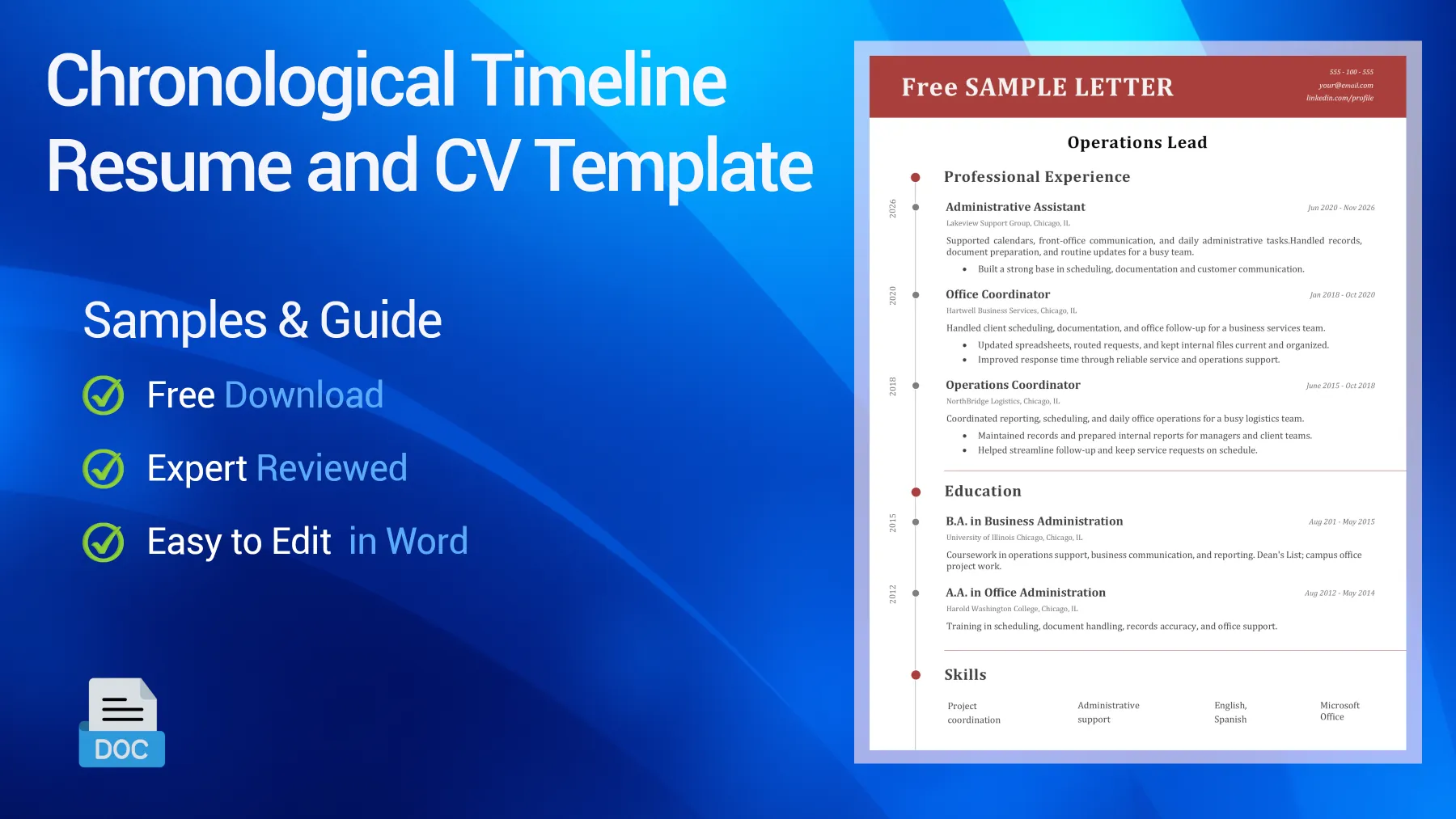
Table of Contents
Preview of the Free Chronological CV Example You Can Download
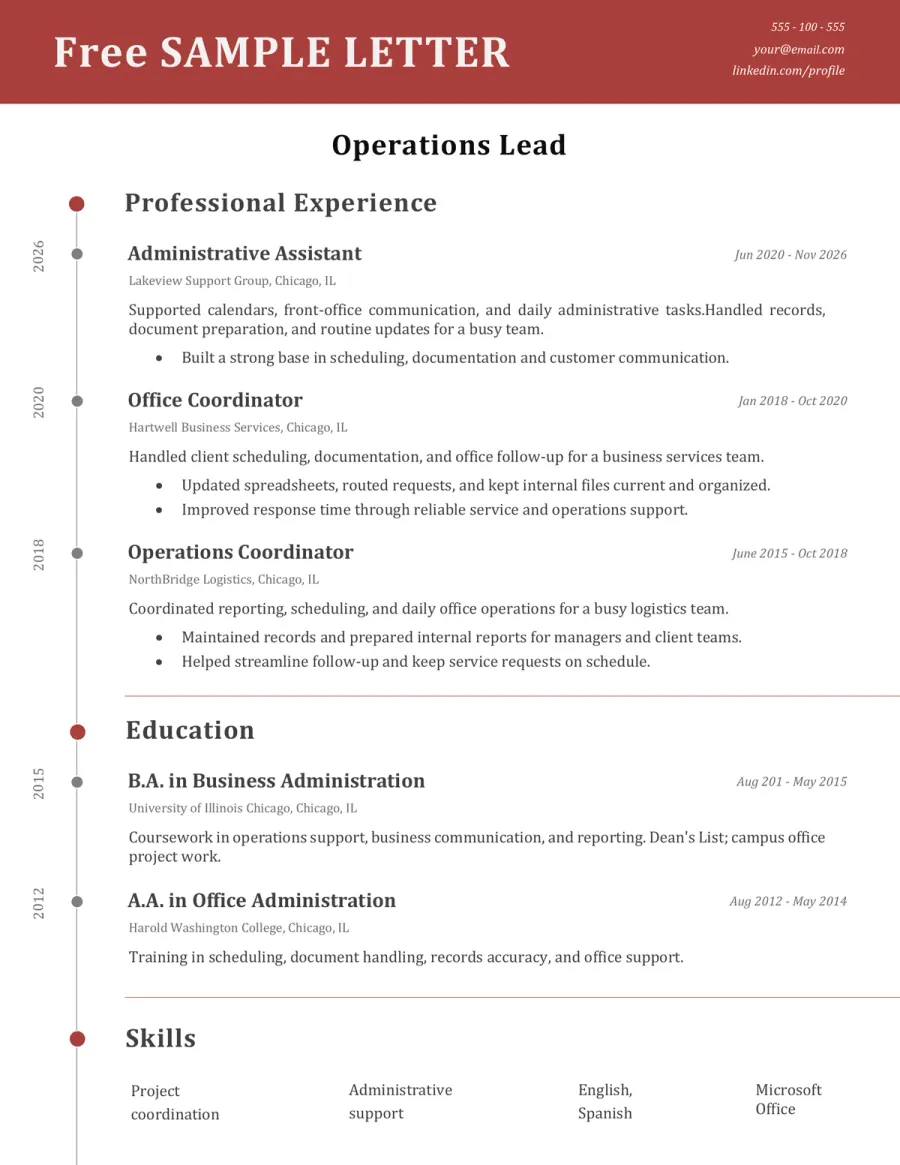
Choose this editable chronological resume template if you want a layout that keeps your work history organized, easy to read, and quick to scan. This resume and CV format is ideal for candidates with consistent experience, recent advancement, and job titles that already strengthen the application. Review the structure first, then download the Word version and tailor it to your background.

Reviewed by Daniel K., Resume Consultant
This layout is effective because it lets your work timeline speak for itself. It works especially well for candidates with stable, experience-based backgrounds, making it easier for recruiters to understand recent roles, career progression, and relevance to the position without unnecessary guesswork.
Who This Chronological Resume Template Works Best For
This template is designed for candidates whose recent experience already tells a strong story. Whether you call it a resume or a CV, it works best when employers want to see where you worked, how your responsibilities developed, and what your latest roles reveal about your fit for the job.
- Candidates with a stable work history who need a clearer resume for recent experience, promotions, and consistent role progression.
- Professionals staying in the same field who want a stronger CV that lets relevant job titles and recent employers work in their favor.
- Applicants who have taken on more responsibility over time and need a format that makes that progression obvious at a glance.
- Job seekers in office, business, service, technical, operations, or management-support roles where a straightforward timeline often feels more credible than a skills-first format.
- Candidates whose most recent roles are the strongest part of the application and should appear early and clearly on the page.
- Professionals seeking a familiar, recruiter-friendly structure that keeps the focus on work history rather than design or formatting.
How to Adapt This Chronological Resume Template
A chronological resume works best when your timeline is an asset. The strongest versions do not just list jobs in order. They help the reader quickly see how your recent roles, responsibilities, and career growth connect to the job you want next.
➡️ For more advice, read our guide on how to write a professional CV
Start by checking whether your recent experience is your strongest asset
A reverse-chronological CV is most effective when your latest roles are relevant, your career path shows continuity, or your job titles already align with your target role. If so, this format typically works to your advantage right away.
See an example
If your recent roles already show progression in administration, customer service, operations, or management support, let those positions lead the page instead of hiding them behind a skills-heavy structure.
Make the most recent roles do the heaviest work
This format puts your most recent experience in the spotlight. The top entries should feature sharper bullet points, clearer outcomes, and stronger alignment with your target role than older positions further down the page.
See What to prioritize
Showcase recent responsibilities, expanded scope, measurable results, and role-relevant tools first. Trim back older or less relevant details as needed.
Use dates, titles, and employers consistently
A chronological resume loses impact if the structure is hard to scan. Use the same order, visual rhythm, and formatting style for every role so the timeline feels stable and trustworthy.
See Better phrasing
Stick to a single, clean format for job title, company, location, and dates throughout the page, rather than switching patterns from one entry to the next.
Show progression, not just repetition
Recruiters often prefer this format because it helps them spot professional growth. If your roles have evolved, highlight those changes. Show how your scope expanded, your responsibilities increased, and where you earned greater trust or became more specialized over time.
See Quick rule
If two positions appear similar, use bullet points to highlight what expanded, such as team support, reporting, client interaction, deadlines, tools, or ownership.
Keep older roles shorter and more selective
A chronological CV should not give equal weight to every stage of your work history. The older the role, the more selective you can be, especially if your recent experience already supports your application well.
See Good direction
Include more detail near the top of your timeline and keep lower sections shorter, unless an older role is especially relevant to your target job.
Keywords Recruiters Often Expect on This Type of Resume
- Professional summary
- Work experience
- Recent experience
- Job title
- Company name
- Employment dates
- Relevant achievements
- Quantified results
- Career progression
- Promotions
- Technical skills
- Certifications
- Project coordination
- Administrative support
- Customer service
- Operations support
- Business communication
- Role-specific tools
- Industry terminology
- Education
Do & Don’t - What Makes a Chronological Resume Easier to Trust
Recruiters often trust this format because it is familiar and easy to follow. The best versions make the timeline feel clear, relevant, and purposeful, not long, repetitive, or under-edited.
What Weakens This Type of Resume Fast
Red Flags- Using a chronological format when your recent timeline clearly works against your application
- Giving equal detail to every previous role instead of focusing on what is most relevant now
- Repeating similar bullet points across multiple jobs with no visible growth
- Listing dates, titles, or company information inconsistently, making your resume harder to scan
- Letting the timeline dominate the page without highlighting achievements or scope
What Makes the Resume Feel Stronger Immediately
Trust Signals- Lead with your most relevant recent roles and strongest bullet points at the top of the page
- Keep dates, titles, and employers visually consistent
- Demonstrate how your responsibilities or level of trust increased over time
- Trim older entries so your recent experience carries more weight
- Keep the layout familiar, well-structured, and easy to scan in under a minute
FAQ - Chronological CV Template
What is a chronological resume? Toggle answer
This is a format that presents your work history in reverse chronological order, so your most recent role appears first. It is one of the most common and recruiter-friendly resume structures.
Who should use a chronological resume? Toggle answer
It usually works best for candidates with a stable record, a clear recent timeline, or a background that already matches the target role. It is especially useful when your latest jobs strengthen your application rather than raise questions.
Is a chronological resume the same as a reverse-chronological resume? Toggle answer
In practice, yes. Most resume advice uses “chronological” to mean a reverse-ordered timeline, where your newest experience comes first because it is usually most relevant to recruiters.
When is this format better than a skills-based or combination resume? Toggle answer
This format is usually better when your recent experience is strong, relevant, and easy to understand. Skills-based or hybrid formats may help more if your timeline is weaker, less direct, or less flattering on its own.
Can a chronological resume still work with ATS tools? Toggle answer
Yes. It often works well because the structure is familiar, the headings are standard, and the order of the experience section is clear for both ATS systems and recruiters.
Can I edit this resume template in Microsoft Word, LibreOffice or Google Docs? Toggle answer
Yes, in most cases. This template is designed to be easy to edit in Word first, but it should also work in LibreOffice and Google Docs. Minor spacing or font differences may still appear depending on the software.
What to Do Next With This Resume Template
A strong chronological resume or CV should make your recent experience easy to trust and easy to follow. Keep your timeline clear, lead with the roles that matter most now, and avoid the common mistake of treating every previous job as equally important.
The strength of this format is not just its familiarity; it is the momentum it creates. Recruiters notice when your resume shows recent relevance, visible progression, and a work history that naturally supports your next step. That is what gives a chronological resume real weight.