
ATS-Friendly Resume Template for Online Applications and Keyword Matching
This ATS-friendly resume template helps you present your experience, skills, and keywords in a format that remains clear to both applicant tracking systems and human recruiters. It is designed for candidates who want a professional CV or resume layout that is simple, readable, and easy to customize for online job applications.
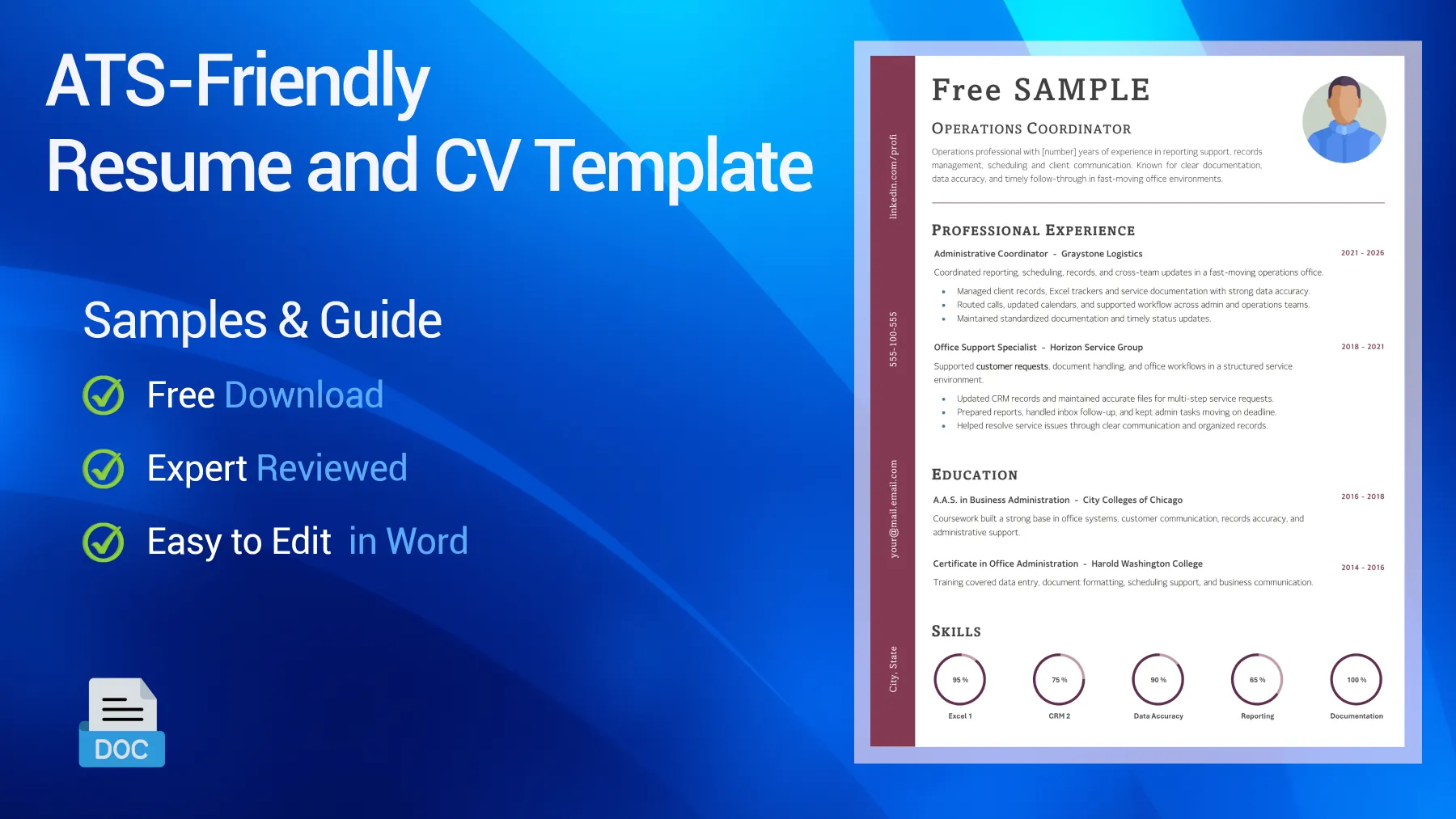
Table of Contents
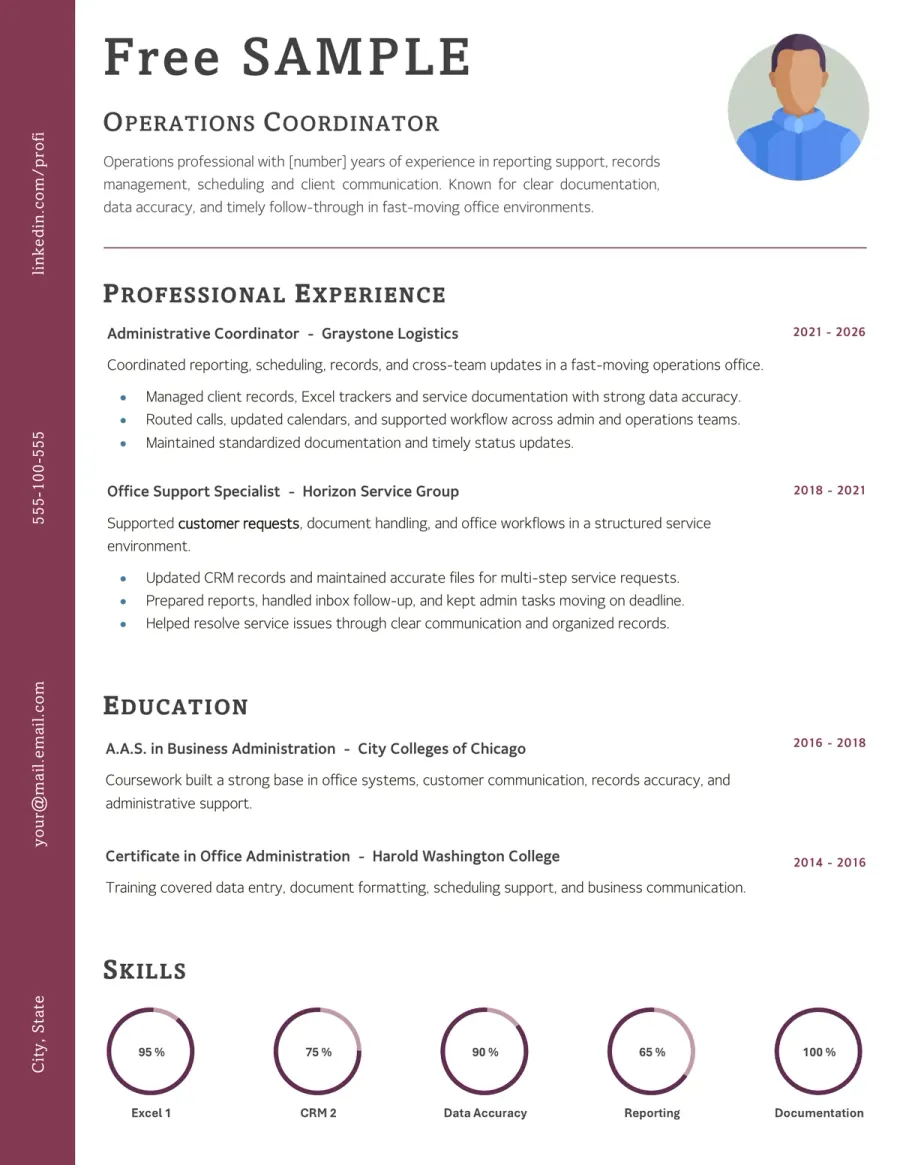
Preview of the Free ATS-Friendly CV Example You Can Download
Use this editable ATS-friendly resume template for a clean, readable layout that is easier to process in online hiring systems. This resume and CV format works well for keyword-based applications, job boards, recruiter screening, and employer portals. Review the structure, then download the Word version and tailor it to your own experience.

Reviewed by Daniel K., Resume Consultant
This layout works because it is straightforward without being plain. It suits ATS-driven applications, especially when recruiters need a document they can scan quickly and software can parse section titles, skills, and work history without unnecessary friction.
Who This ATS-Friendly Resume Template Works Best For
This template is designed for candidates who need a document that performs well in online applications before a recruiter sees it. Whether you call it a resume or a CV, it is most effective when simple structure, clear keywords, and easy parsing are as important as appearance.
- Candidates applying through large employer portals or job boards where applicant tracking systems screen resumes before a recruiter sees them.
- Job seekers who need a clearer resume for keyword-heavy applications, formal screening steps, and roles with detailed job descriptions.
- Applicants targeting corporate, administrative, technical, or business roles where ATS parsing and recruiter readability often matter at the same time.
- Career changers and candidates with diverse backgrounds who need a stronger CV using the target language of the role clearly.
- Professionals with solid experience who want a safer format for online applications than a creative, visual, or overly designed layout.
- Candidates who already have a polished resume but need a second version optimized for online submission, ATS parsing, and quick recruiter review.
How to Adapt This ATS-Friendly Resume Template
An ATS-friendly resume should never feel robotic. The best versions remain simple for the software while staying useful for recruiters. Use clear headings, relevant keywords, and readable experience. Do not hide important details behind complex design elements that can disrupt parsing.
➡️ For more advice, read our guide on how to write a professional CV
Start from the target job title and core keywords
An ATS-friendly CV works best when its language matches the target role. Read the job description carefully and identify the titles, skills, tools, and responsibilities that appear most frequently before starting your edits.
See an example
If the posting repeats terms such as project coordination, Excel, customer support, or KPI reporting, those exact phrases should appear naturally in the summary, skills, and experience sections when they are true for your background.
Keep the structure standard and easy to parse
This type of resume is less effective when the layout is overly creative. Use familiar section names and a straightforward order so both ATS tools and recruiters can quickly find key information.
See What to prioritize
Headings like Summary, Experience, Education, Skills, Certifications, and Languages usually work better than creative labels that may look stylish but make the document harder to understand.
Write experience bullets with keywords and proof
Do not just repeat the job description. Use relevant vocabulary from the role, but connect it directly to your actual work. This strengthens your resume for matching and makes it more convincing to recruiters.
See Better phrasing
“Prepared KPI reports, updated client records, and resolved service requests in Salesforce” is more effective than simply stating “Responsible for various administrative tasks.”
Avoid formatting choices that block readability
A resume can look clean without being visually complex. Keep the file easy to read with a simple hierarchy, plain text where possible, and sufficient white space. Avoid design elements that might disrupt parsing or slow the first scan.
See Quick rule
A single-column structure with standard text sections is usually safer than side-by-side columns, icons, graphics, text boxes, or details placed in headers and footers.
Keep the content human after the scan
Passing the ATS is not the only goal. Your resume should still sound credible when a recruiter reads it. Use natural wording, clear priorities, and real achievements so your document reads like a genuine application, not just a list of keywords.
See Good direction
Instead of repeating the same keyword over and over, include it once in the right section and support it with a clear example, such as a specific task, tool, or result that makes it credible.
Keywords Recruiters Often Expect on This Type of Resume
- Professional summary
- Work experience
- Education
- Skills
- Certifications
- Technical skills
- Microsoft Excel
- Project coordination
- Customer service
- Administrative support
- Data accuracy
- Reporting support
- Business communication
- Action verbs
- Role-specific keywords
- Target job title
- Industry terminology
- Quantified results
- Relevant tools
- Tailored experience
Do & Don’t - What Makes an ATS-Friendly Resume Easier to Trust
ATS screening does not replace recruiter judgment. The best resumes work for both systems and people. They stay simple enough for parsing, clear for scanning, and targeted to the role without sounding artificial.
What Weakens This Type of Resume Fast
Red Flags- Hide key details in headers, footers, graphics, or visual elements
- Use creative section titles that make the structure harder to parse
- Stuff the page with repeated keywords and no clear proof
- Rely on columns or design tricks that break reading order
- Write generic bullets that match nothing in the target job posting
What Makes the Resume Feel Stronger Immediately
Trust Signals- Use standard headings and a clear reading order
- Match the job title, skills, and tools to the language of the posting
- Support keywords with real tasks, tools, and outcomes
- Keep the layout simple, readable, and restrained
- Make the document easy for software and recruiters to scan in under a minute
FAQ - ATS-Friendly CV Template
What makes a resume ATS-friendly? Toggle answer
Generally, an ATS-friendly resume uses a simple structure, standard headings, readable text, and keywords that match the job posting. The goal is not to trick the system, but to ensure both the software and recruiter can easily read your file.
Should I avoid columns, icons, and graphics on this type of resume? Toggle answer
In most cases, yes. Many career centers recommend avoiding columns, graphics, headers, footers, and decorative elements because some ATS tools may not read them correctly.
Can an ATS-friendly resume still look professional? Toggle answer
Yes. Simple does not mean weak. An ATS-friendly resume can still look polished, clear, and credible as long as the structure is clean and the content is relevant.
Do I need to repeat the exact keywords from the job posting? Toggle answer
Use the relevant language from the job posting when it truthfully matches your experience, but avoid repeating keywords unnaturally. Matching is important, but credibility matters too.
Is this template useful for any industry? Toggle answer
Yes, especially for jobs that use online applications, employer portals, or high-volume screening. The exact keywords will vary by role, but the logic of clear parsing is valuable across many industries.
Can I edit this resume template in Microsoft Word, LibreOffice, or Google Docs? Toggle answer
Yes, in most cases. The template is designed to be easy to edit in Word, but it should also work in LibreOffice and Google Docs. Minor spacing or font differences may appear depending on the software.
What to Do Next With This Resume Template
A strong ATS-friendly resume or CV should send the same message to both the system and the recruiter: this profile matches the role clearly and credibly. Keep the structure simple, use the right keywords, and avoid the common mistake of making the file look optimized while the content remains vague.
In this type of application, credibility comes from alignment. Recruiters notice when your resume uses the right section names, the right vocabulary, and specific evidence without turning into a keyword list. That is what gives an ATS-friendly resume real weight.