
Professional Resume Template for Formal, Office and Business-Ready Applications
This professional resume template lets you present your experience, skills, and qualifications in a clear, polished, and business-ready format. It is designed for candidates who need a professional resume or CV layout that is easy to scan and simple to customize for formal office, corporate, or professional roles.
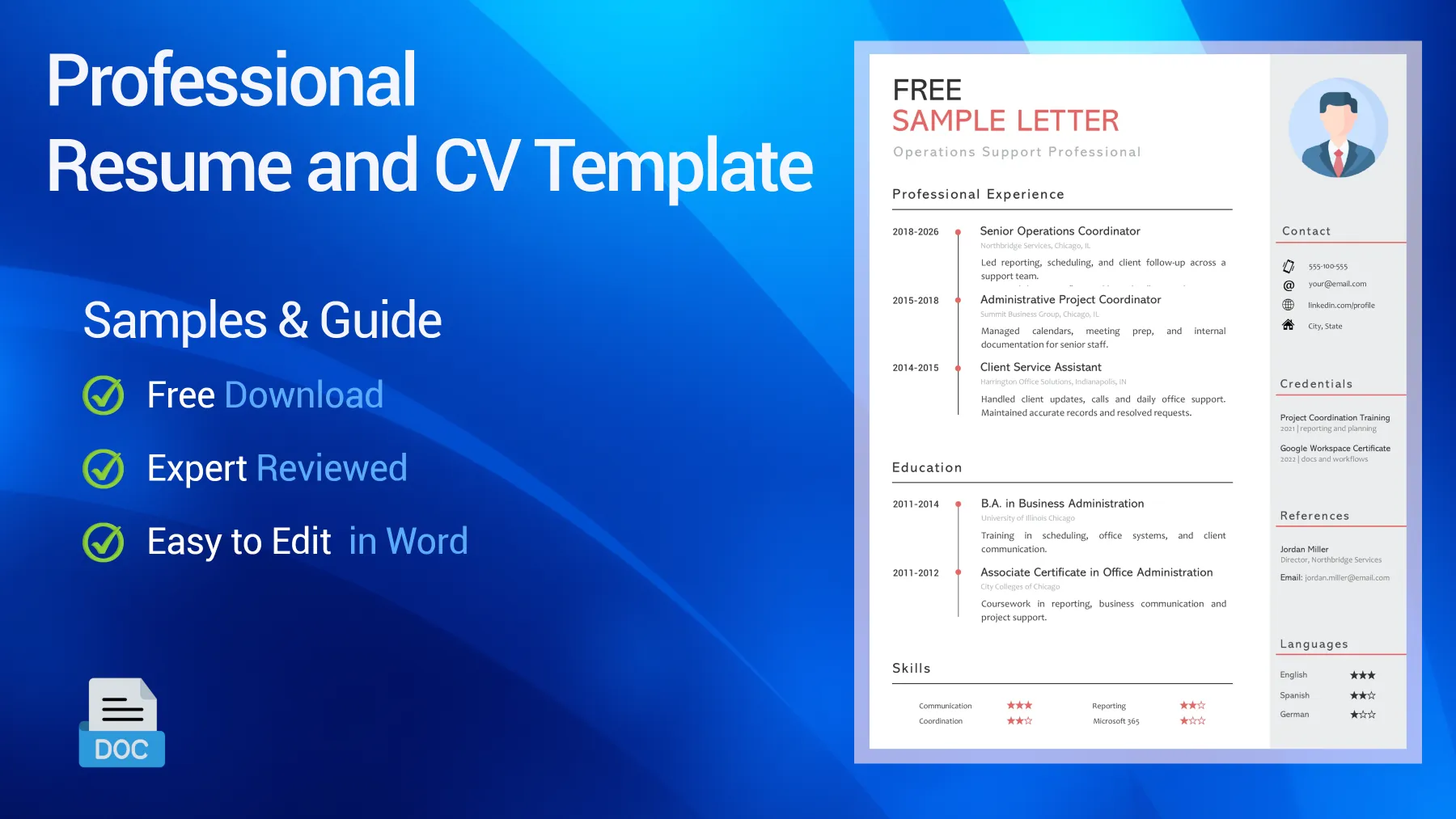
Table of Contents
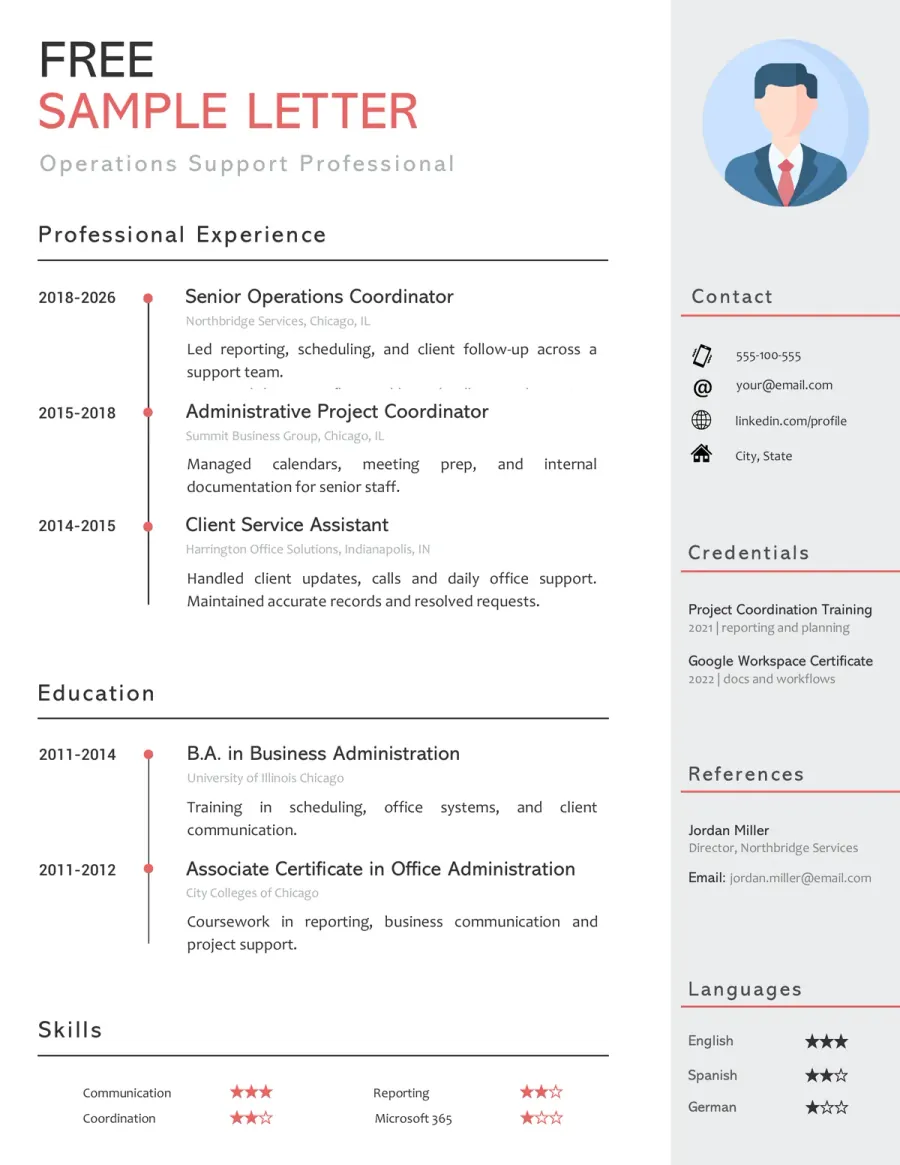
Preview of the Free Professional CV Example You Can Download
Use this editable professional resume template if you want a layout that is polished, readable, and easy to adapt for serious job applications. This resume and CV format works well for office, corporate, management-support, client-facing, and other professional roles. Review the structure, then download the Word version and tailor it to your own background.

Reviewed by Daniel K., Resume Consultant
This layout works because it looks polished without feeling stiff or generic. It suits professional applications, especially where recruiters expect a clear summary, solid experience, and a business-ready presentation that feels credible from the first glance.
Who This Professional Resume Template Works Best For
This template is built for candidates who need a strong, general-purpose document that is more formal and business-ready than a basic or creative layout. Whether you call it a resume or a CV, it works best when employers expect clarity, professionalism, and a format that feels immediately credible.
- Office and administrative candidates who need a polished resume for business-facing roles with coordination, communication, reporting, and day-to-day support.
- Professionals applying to corporate or formal environments where a clean, business-ready layout will usually perform better than a creative or highly stylized design.
- Candidates with a stable work history who want a stronger CV for office, operations, client service, management support, or professional service roles.
- Mid-level applicants who need a flexible format that can adapt across administration, business support, customer-facing office work, and project coordination.
- Job seekers returning to the market who want a polished template that feels more credible than a minimalist or visually playful design.
- Applicants targeting serious, recruiter-led hiring processes where presentation, readability, and professional tone matter almost as much as the content itself.
How to Adapt This Professional Resume Template
A professional resume should do more than look tidy: it should make your profile feel clear, relevant, and business-ready within seconds. The strongest professional resumes do not rely on polish alone. They combine a clean layout with a precise summary, solid experience, and role-specific details that make the document feel useful right away.
➡️ For more help, read our guide on how to write a professional CV
Define the kind of professional role you are targeting
A polished template still needs direction. Start by deciding whether you are applying for office support, business operations, client-facing work, management support, or a broader corporate role. Then, align the top of your document with that goal.
See an example
If the role is more administrative, move coordination, calendars, records, and communication higher. If it is more business-facing, put reporting, client contact, process support, and business tools closer to the top.
Write a summary that sounds professional, not generic
This type of CV is weaker when the summary says too little or sounds inflated. Keep it direct. Focus on your main value, area of experience, and the specific contribution you bring, while avoiding broad, generic corporate language.
See What to prioritize
A better summary explains your role level, main strengths, and relevant scope instead of simply saying “results-driven professional with excellent communication skills.”
Use experience bullets that feel useful to a recruiter
Professional presentation is not just about design. Your experience section should show responsibilities, outcomes, and business relevance in a clear, concise way. Lead with what you handled, improved, supported, or kept on track.
See Better phrasing
“Coordinated reporting, client follow-up, and cross-team scheduling for a fast-paced office” is stronger than “responsible for various office tasks.”
Keep the structure formal and easy to scan
A professional resume usually works best with a familiar, clean section order. Use a clear summary, work experience, education, skills, and tools or certifications when relevant. Do not overload the layout with decorative elements.
See Quick rule
A polished, business-ready document should feel structured and calm, not crowded, overly creative, or difficult to follow at a glance.
Match the tone to the level of the application
A junior office applicant, an experienced coordinator, and a senior manager should not all sound the same. Adjust the wording so your document matches the actual level of the role, while still keeping a professional tone throughout.
See Good direction
For early-career roles, lead with reliability, organization, and relevant tools. For more experienced profiles, highlight ownership, business support, outcomes, and cross-functional scope.
Keywords Recruiters Often Expect on This Type of Resume
- Professional summary
- Office administration
- Administrative support
- Project coordination
- Client communication
- Cross-functional collaboration
- Calendar management
- Data accuracy
- Reporting support
- Documentation
- Stakeholder communication
- Process improvement
- Time management
- Microsoft Office
- Organizational skills
- Business communication
- Operations support
- Relevant experience
- Role-specific tools
- Professional experience
Do & Don’t - What Makes a Professional Resume Easier to Trust
Recruiters often decide quickly whether a resume feels polished in a useful way or just looks generic. The strongest professional resumes connect presentation, relevance, and clear evidence in a way that feels credible from the first section to the last.
What Weakens This Type of Resume Fast
Red Flags- Using a polished layout with a vague or empty summary
- Relying on broad business language with no clear responsibilities underneath
- Mixing formal design with casual, weak, or repetitive wording
- Overloading the page with decorative elements that add no value
- Including bullets that sound professional but lack substance
What Makes the Resume Feel Stronger Immediately
Trust Signals- Use a clear summary that defines your role level and main value to the employer
- Show responsibilities, tools, and outcomes in readable bullets
- Keep the section order formal and easy to follow
- Match the tone and detail level to the role you actually want
- Keep the layout polished, restrained, and easy to scan in under a minute
FAQ - Professional CV Template
What makes this a professional resume template rather than a basic one? Toggle answer
The difference is mostly in the presentation and positioning. This template is designed to feel more polished, business-ready, and adaptable to formal hiring environments where clarity and tone matter as much as content.
Can I use this template for different industries? Toggle answer
Yes. That is one of its strengths. It works best for office, business, administrative, operations, management-support, and other professional roles where a clean, formal presentation is an advantage.
Is this template too formal for early-career applications? Toggle answer
No, as long as you adapt the wording to your level. The layout is polished, but it can still work well for junior and mid-level applicants who want a more serious presentation than a student or creative format.
Should I include a professional summary on this type of resume? Toggle answer
Yes, in most cases. A good summary helps the document feel immediately business-ready, especially when it clearly defines your role level, strengths, and the type of position you are targeting.
Can this resume template work for office and management-support roles? Toggle answer
Yes. It is especially useful for roles involving coordination, reporting, communication, documentation, business support, and other functions that benefit from a polished and structured presentation.
Can I edit this resume template in Microsoft Word, LibreOffice or Google Docs? Toggle answer
Yes, in most cases. The template is designed to stay easy to edit in Word first, but it should also remain usable in LibreOffice and Google Docs. Minor spacing or font differences can still appear depending on the software.
What to Do Next With This Resume Template
A strong professional resume or CV should quickly show a recruiter that you can fit into a serious work environment and present your value in a clear, business-ready way. Keep the layout polished, lead with relevant experience and practical strengths, and avoid the common mistake of sounding formal without being genuinely useful.
In this type of application, credibility comes from control and clarity. Recruiters notice when your resume shows a focused summary, readable experience, relevant tools, and a professional tone that does not feel empty or inflated. That is what gives a professional resume real weight.